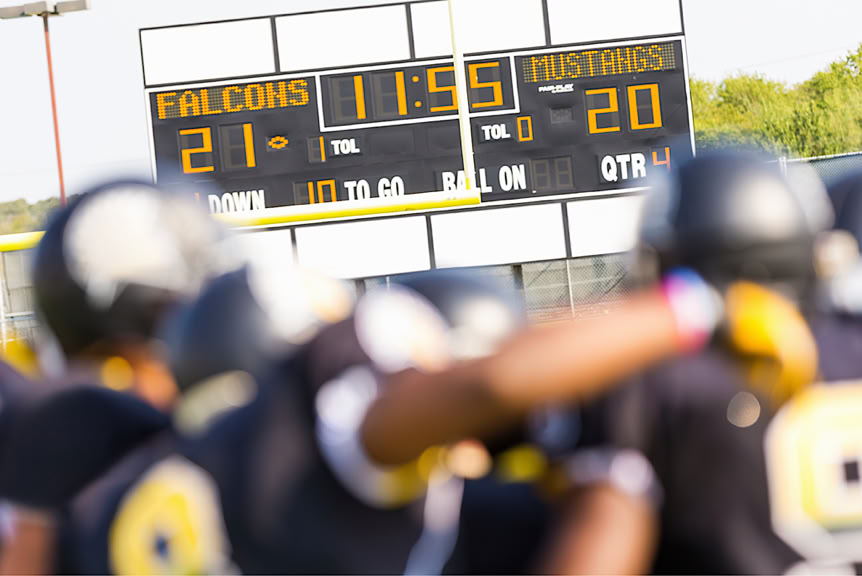
Say you have been asked to referee a sports game. During the play, you need to keep a running total of the number of points scored by each team, the number of fouls, remaining time, and other things.
These are called parameters. When the game starts, you adjust the parameters depending on certain conditions and criteria. For example:
You will have too many game parameters, so you choose to display only a few of them on the scoreboard. Others are not displayed but are still used, e.g. to give an award to the game participant that scores the most points.
In SuperLab, we use the word “experiment” instead of “game” but you can set up parameters as well, e.g. to keep counts, store responses and text, or keep track of presented trials. You can display some of them to the participant or use them with rules to determine any number of things, e.g. what block to present next.
Not all experiments require parameters, but when they do, they are easy to use in SuperLab.
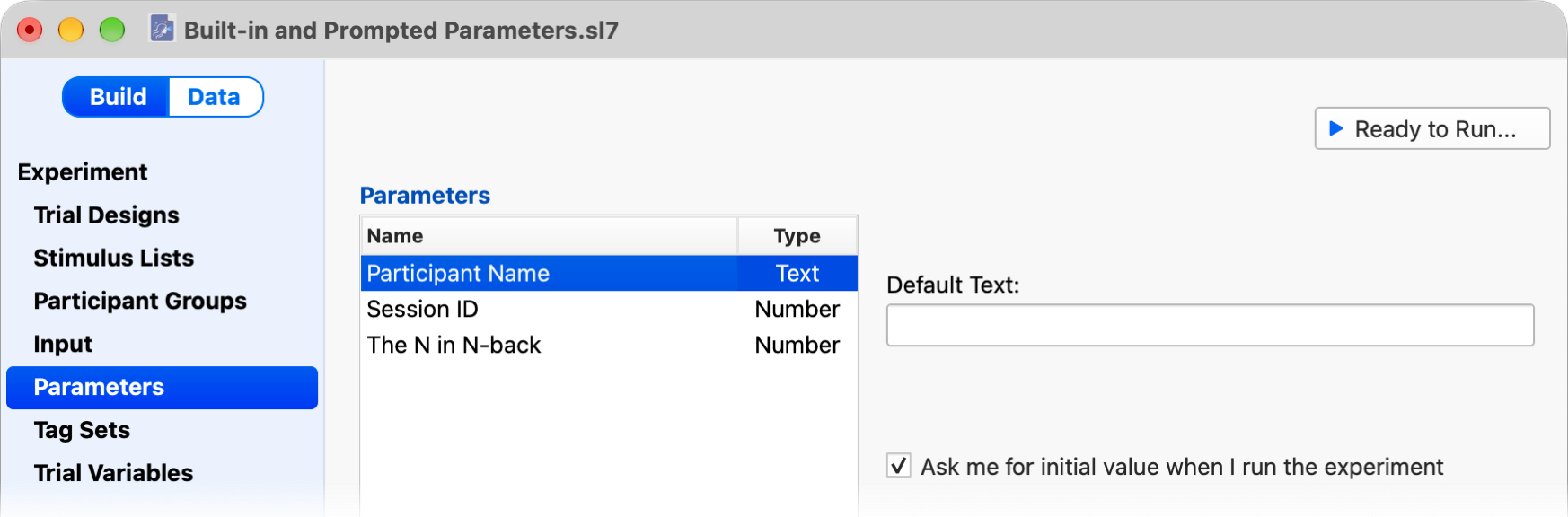
Three parameters are automatically created by SuperLab when you start a new experiment:
These built-in parameters cannot be renamed or deleted.
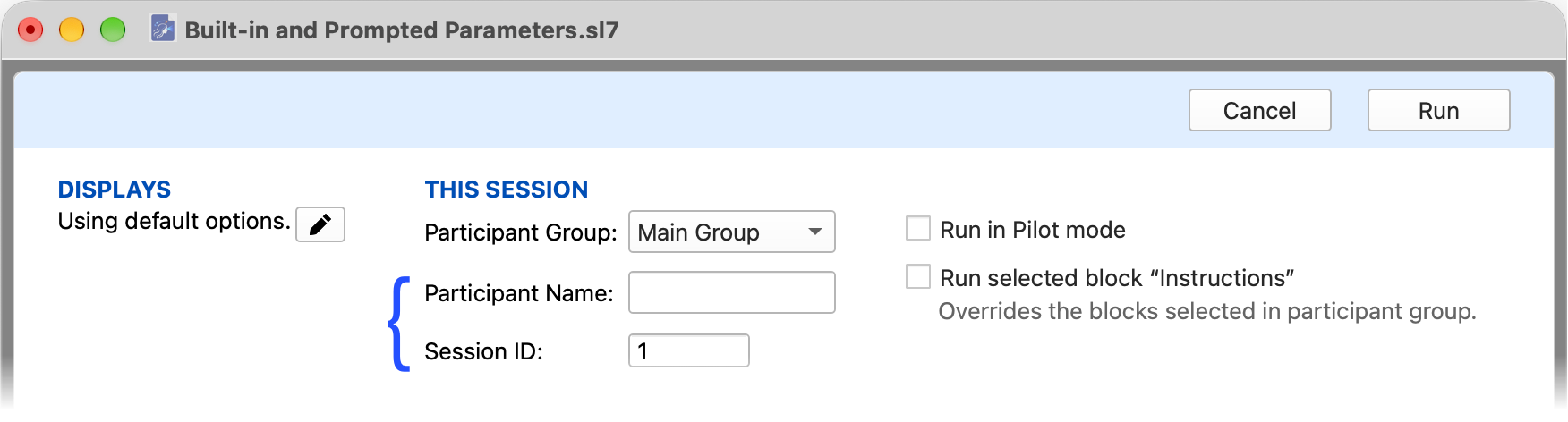
When you enable the checkbox Ask me for initial value when I run the experiment, a parameter, whether built-in or your own, becomes a prompted parameter and SuperLab will ask you for an initial value when you’re about to run an experiment:
An example is when you are building an experiment for functional MRI. The scanner’s TR (repetition time) can vary. You can create a parameter “Scanner TR” of type Number and use it to set the exposure time for slides. When you run the experiment, SuperLab will prompt the MR tech to enter a value for “Scanner TR” and the slides’ durations will adjust accordingly.
You can display a parameter’s value on a slide by enclosing the parameter’s name with $( ). For example, to make the instructions a little more personal:
When you run the experiment, if you enter “Jane” as the participant’s name, SuperLab will display “Hello Jane”
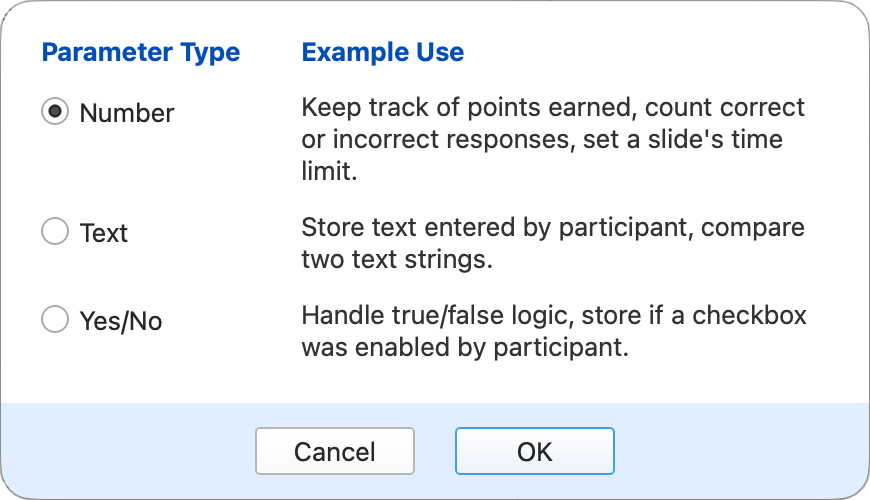
SuperLab supports three types of parameters:
PRODUCTS
SUPPORT
STAY IN TOUCH


© Copyright 2026 Cedrus Corporation, P.O. Box 6309, San Pedro, CA 90734 - USA
Phone: +1-310-548-9595. Send us an email
qwerasdf