The time limit feature in the Event Editor’s Input tab can be a fixed value or a variable one. This is useful for varying the exposure duration of visual stimuli, or to vary how long participants have time to respond.
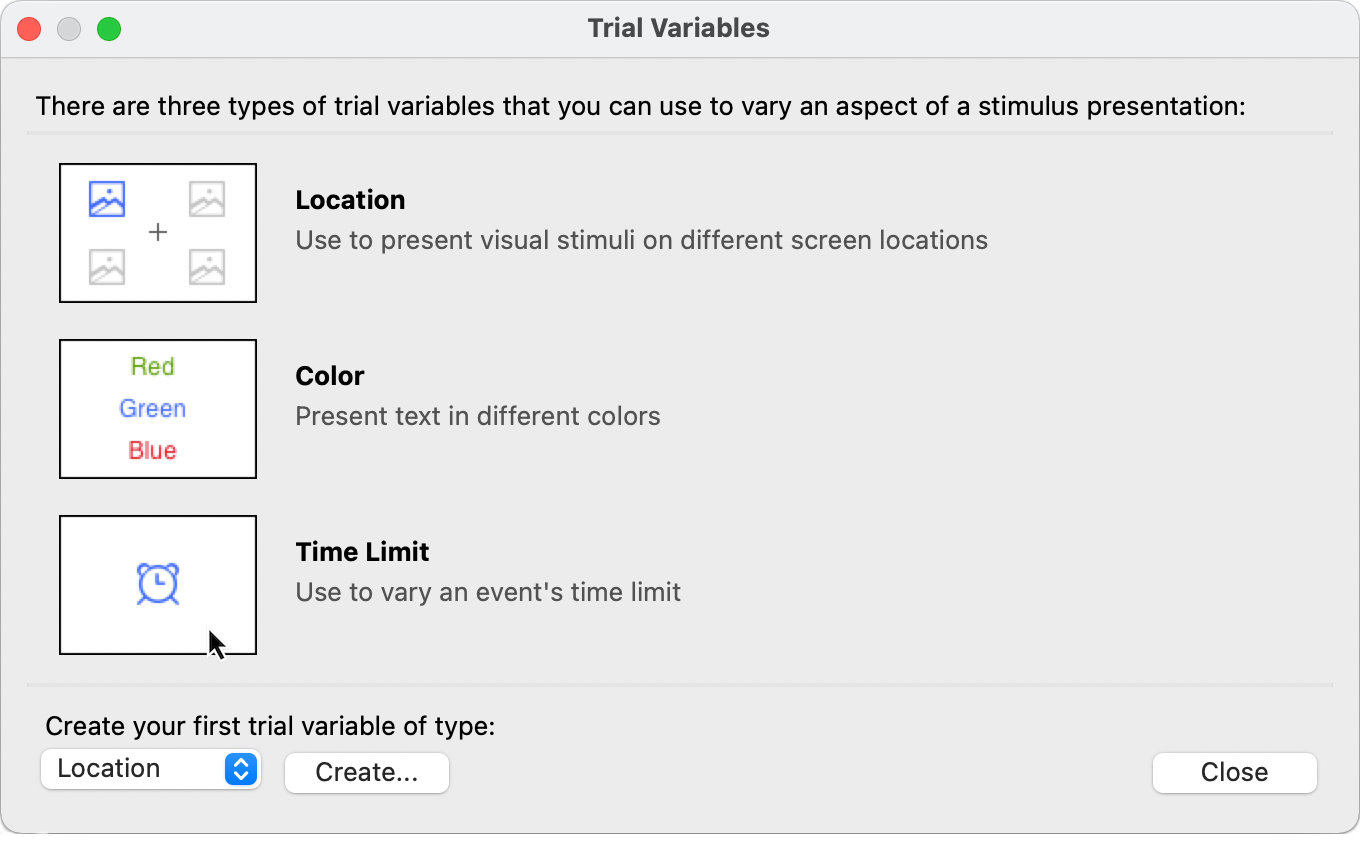
The first step is to create a trial level; click on the Experiment menu and choose Trial Levels…; a dialog presents itself:
The dialog will look different if a trial variable or more already exists.
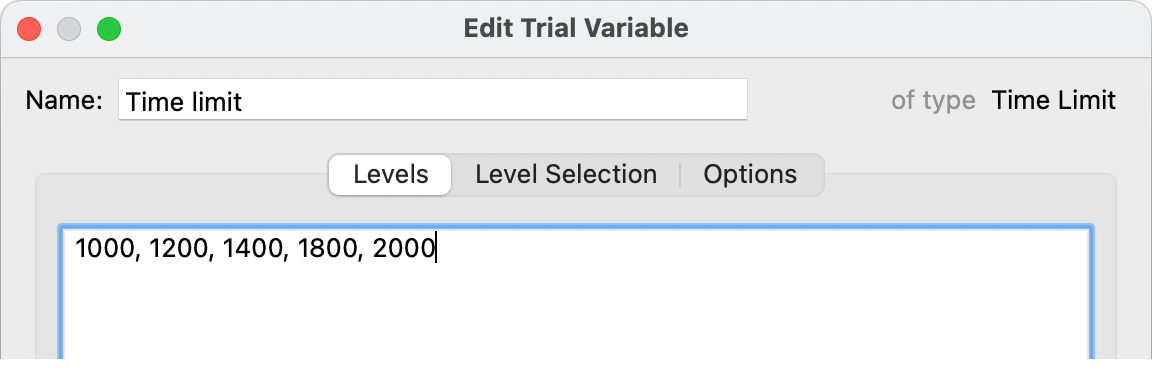
In this example, we want a time limit that varies between 1000 and 2000 milliseconds. Click on the Time Limit icon to create a trial variable:
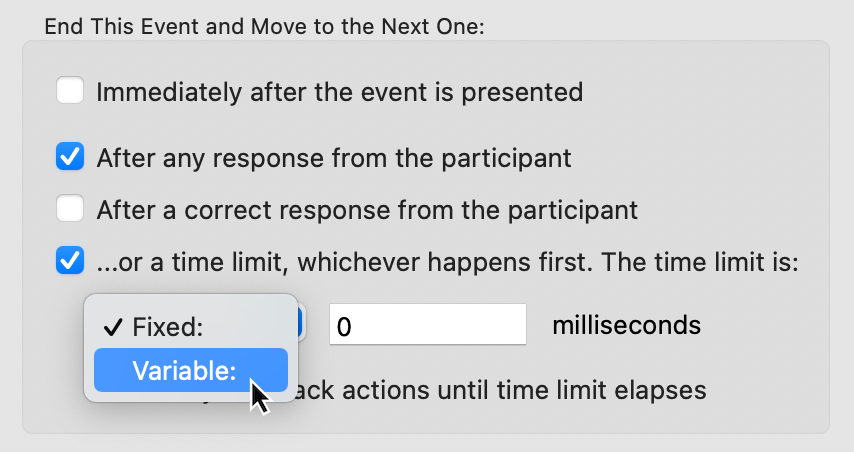
Once created, using the variable time limit is straightforward:
If you are creating a variable time limit to vary the exposure time of a visual stimulus, make sure to read this support note, High Precision Presentation of Stimuli, especially if the exposure times are short, e.g. in the order of a few refresh cycles.
Or contact us to schedule
a demo.
PRODUCTS
SUPPORT
STAY IN TOUCH


© Copyright 2026 Cedrus Corporation, P.O. Box 6309, San Pedro, CA 90734 - USA
Phone: +1-310-548-9595. Send us an email
qwerasdf



