Cedrus logo

Support  Arrow Forward  RB-x40  Arrow Forward  Using an RB Series Response Pads With PsychoPy

‍PsychoPy provides built-in support for input from Cedrus’ response pads.

‍To send TTL event markers via an RB-x40 response pad, you need to use our free pyxid2, a Python library that is included with PsychoPy.

‍The screenshots on this page are with PsychoPy version 2020.2.10. Before proceeding:

‍    Download Download PsychoPy sample code

‍PsychoPy for Windows

‍Assuming that PsychoPy 3 is installed:

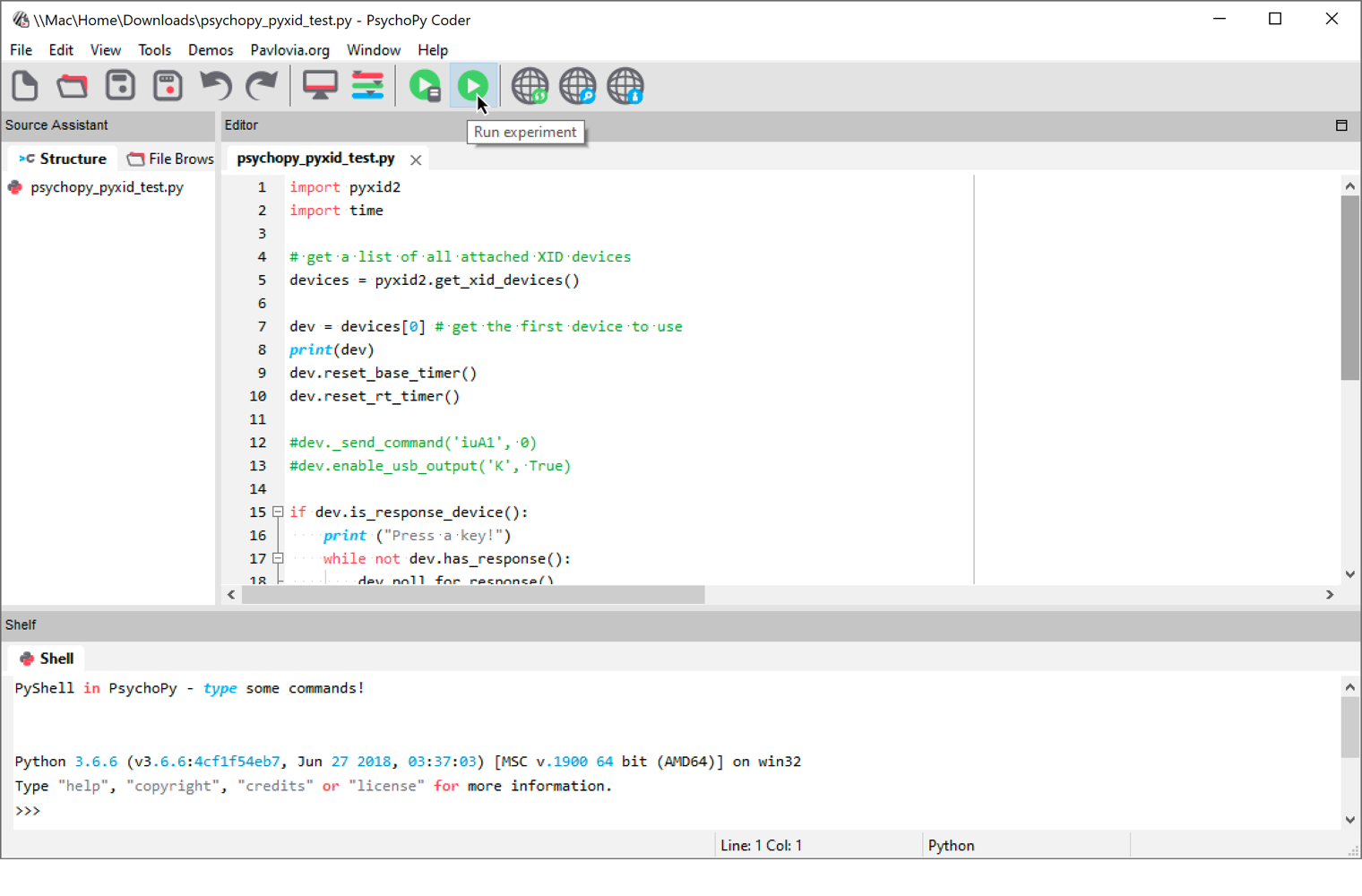
  • Click on the Windows Start menu and run PsychoPy3.
  • In PsychoPy3, click on the Window menu and select Coder. A new “PsychoPy3 Coder” window opens.
  • In the Coder window, click on the File menu and select Open….
  • When prompted for the location of a file, select the file that you had just downloaded and click on Open.
  • In the toolbar, click on the green Run experiment icon.

‍The sample code will turn the output lines one at a time  for 300ms.

‍PsychoPy for Mac

‍Assuming that PsychoPy 3 is installed:

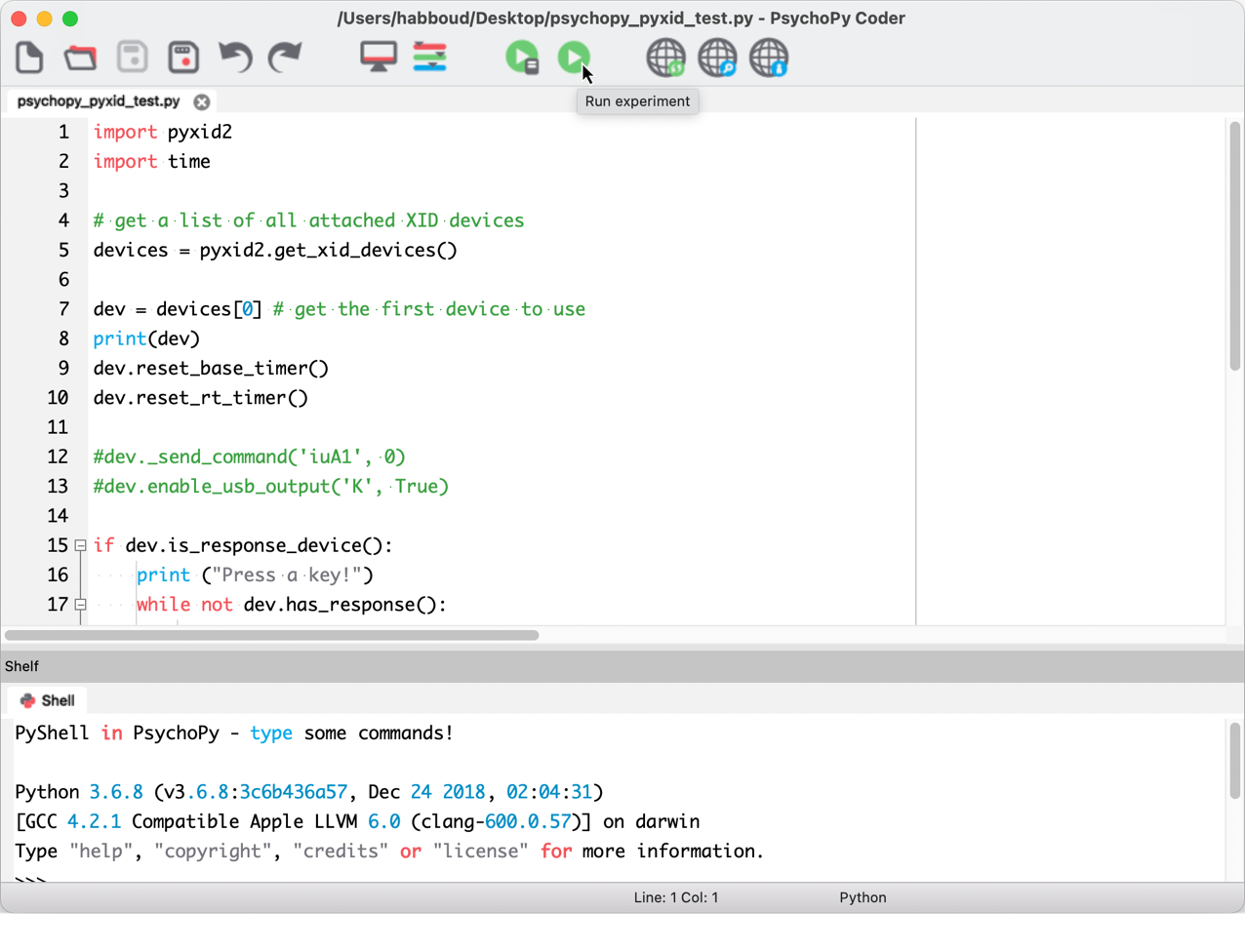
  • Run PsychoPy3.
  • In PsychoPy3, click on the View menu and select Open Coder view. A new “PsychoPy3 Coder” window opens.
  • In the Coder window, click “open” icon.
  • When prompted for the location of a file, select the file that you had just downloaded and click on Open.
  • In the toolbar, click on the green Run experiment icon.

‍You might get an error message like this one:

‍   OSError: ftd2xx drivers are not installed (or not in expected location) and these are required for the Cedrus pyxid2 library.
   ** Download from https://www.ftdichip.com/Drivers/D2XX.htm **
   ##### Experiment ended. #####

‍If you do, download the required USB driver, install it, and try again.

Arrow Back Back to RB Series Support main page
Last Revision: Jan 18, 2021

PRODUCTS

SUPPORT

STAY IN TOUCH

© Copyright 2026 Cedrus Corporation, P.O. Box 6309, San Pedro, CA 90734 - USA

Phone: +1-310-548-9595. Send us an email Envelope. See privacy policy.

qwerasdf