SuperLab has a unique feature called leasing. It’s a way for you to provide other persons with a temporary license without worrying about loosing it. The license is returned to you when the lease ends and can be leased out again. You need at least two licenses before you can issue a lease.
To issue a lease, you need to be on a computer that has an activated SuperLab license.
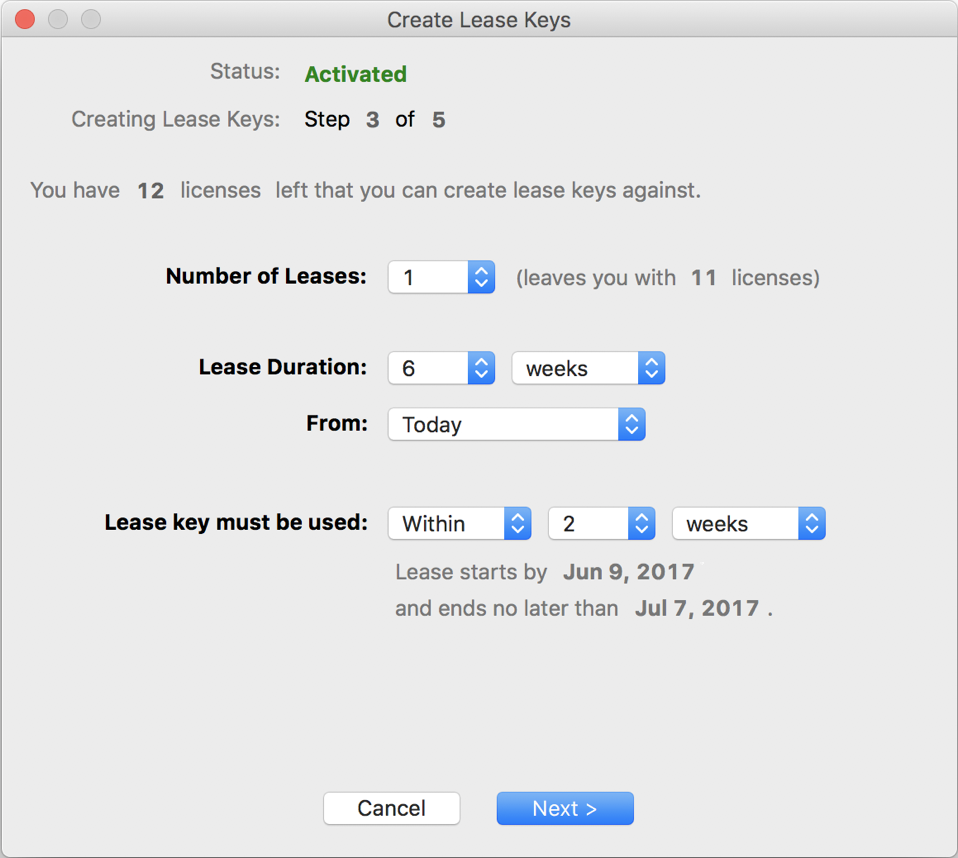
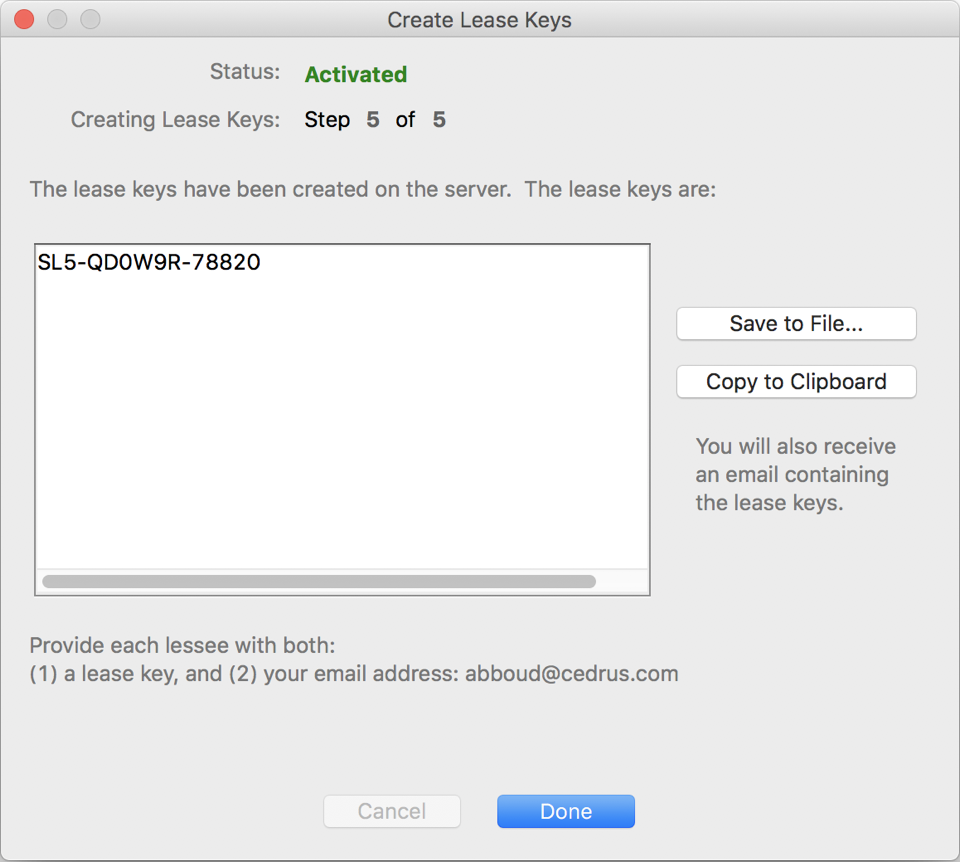
Click on the Copy to Clipboard button; SuperLab will copy the lease along with some instructions, e.g.:
SL5-QD0W9R-78820
To activate SuperLab, enter the lease key, and then enter email@domain.com*
when prompted for the License Owner's Email.
* Will be replaced by your own email address
In your email software, use “Paste” to send the lease key to the person that you want to loan a SuperLab license to.
There are no restrictions on how often you can issue leases.
Last Revision: Mar 20, 2020
PRODUCTS
SUPPORT
STAY IN TOUCH


© Copyright 2026 Cedrus Corporation, P.O. Box 6309, San Pedro, CA 90734 - USA
Phone: +1-310-548-9595. Send us an email
qwerasdf
