Cedrus logo

Support   SuperLab    Using the Go/No-Go Feature

While most paradigms ask a participant to make a choice among two (or more) keys, one paradigm measures a participant’s capacity not to respond. This is known as the Go/No-Go paradigm.

Using a Time Limit

In SuperLab 4.5 or later, this is implemented using two settings, both found in the Event Editor:
  • When a participant is expected to not respond, a time limit is needed. You can set that in the Event Editor’s Input tab. The time limit can be fixed or variable.
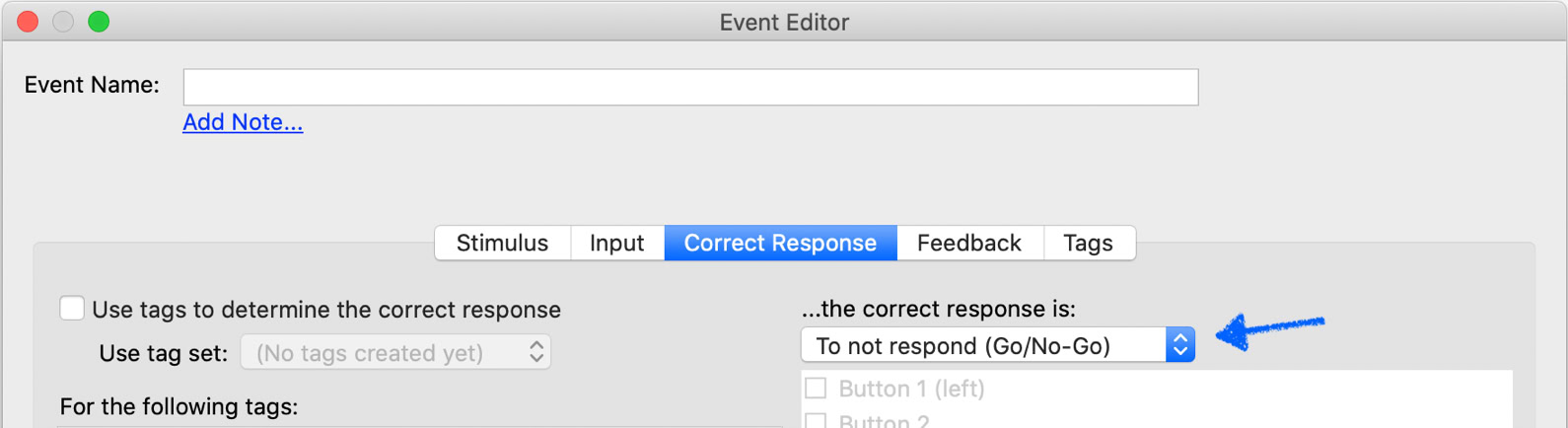
  • In the Correct Response tab, set the correct response to “To not respond (Go/No-Go)”:

Using a Movie or Sound File

Experiments that use movies or audio files present a different challenge. These files often have different durations, so specifying a time limit as suggested above will not work.

SuperLab 6 introduces a new method. To have the time limit be the same as the movie or audio file’s duration, follow these two steps:

  • In the Correct Response tab, set the correct response to “To not respond (Go/No-Go)”.
  • In the Input tab, set the event to end on “———————”. Do not set a time limit.
  • For movies, in the Stimulus tab, click on the Settings… button. A dialog appears. In the Presentation Options tab, enable the options “———————” and “———————”:
  • Make sure that there is NO time limit set in the Input tab. If there is, it will supersede all the settings above.
  • For audio, in the Stimulus tab, enable the options “———————” and “———————”:

Last Revision: March 5, 2020

PRODUCTS

SUPPORT

STAY IN TOUCH

© Copyright 2026 Cedrus Corporation, P.O. Box 6309, San Pedro, CA 90734 - USA

Phone: +1-310-548-9595. Send us an email Envelope. See privacy policy.

qwerasdf
