SuperLab X6 version 6.4 adds support for BIOPAC AcqKnowledge. This integration requires the Network Data Transfer (NDT) software from BIOPAC.
When enabled, SuperLab X6 communicates with AcqKnowledge directly rather than specific hardware. As such, the integration works with all BIOPAC hardware that are recognized by AcqKnowledge.
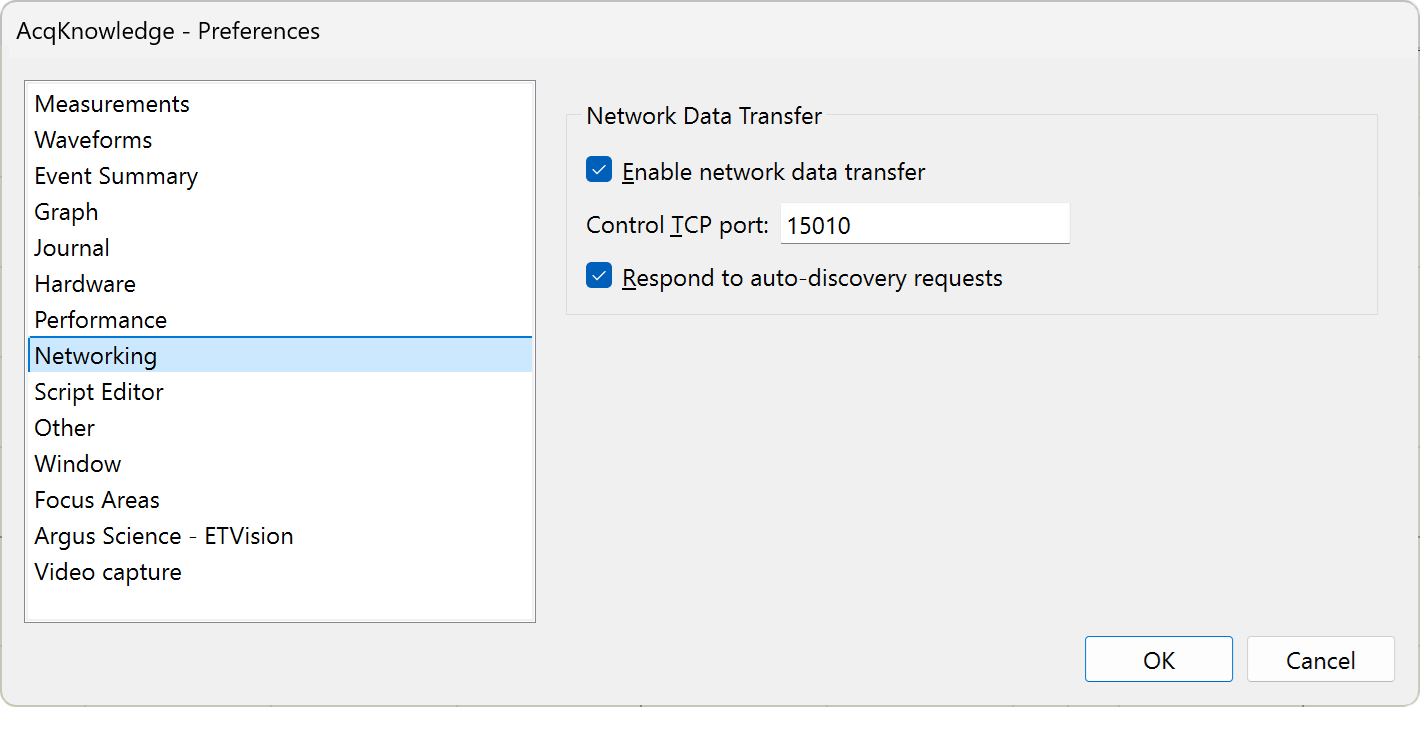
As a prerequisite, please make sure that NDT is enabled in AcqKnowledge. Other than enabling NDT, please leave the other settings unchanged.
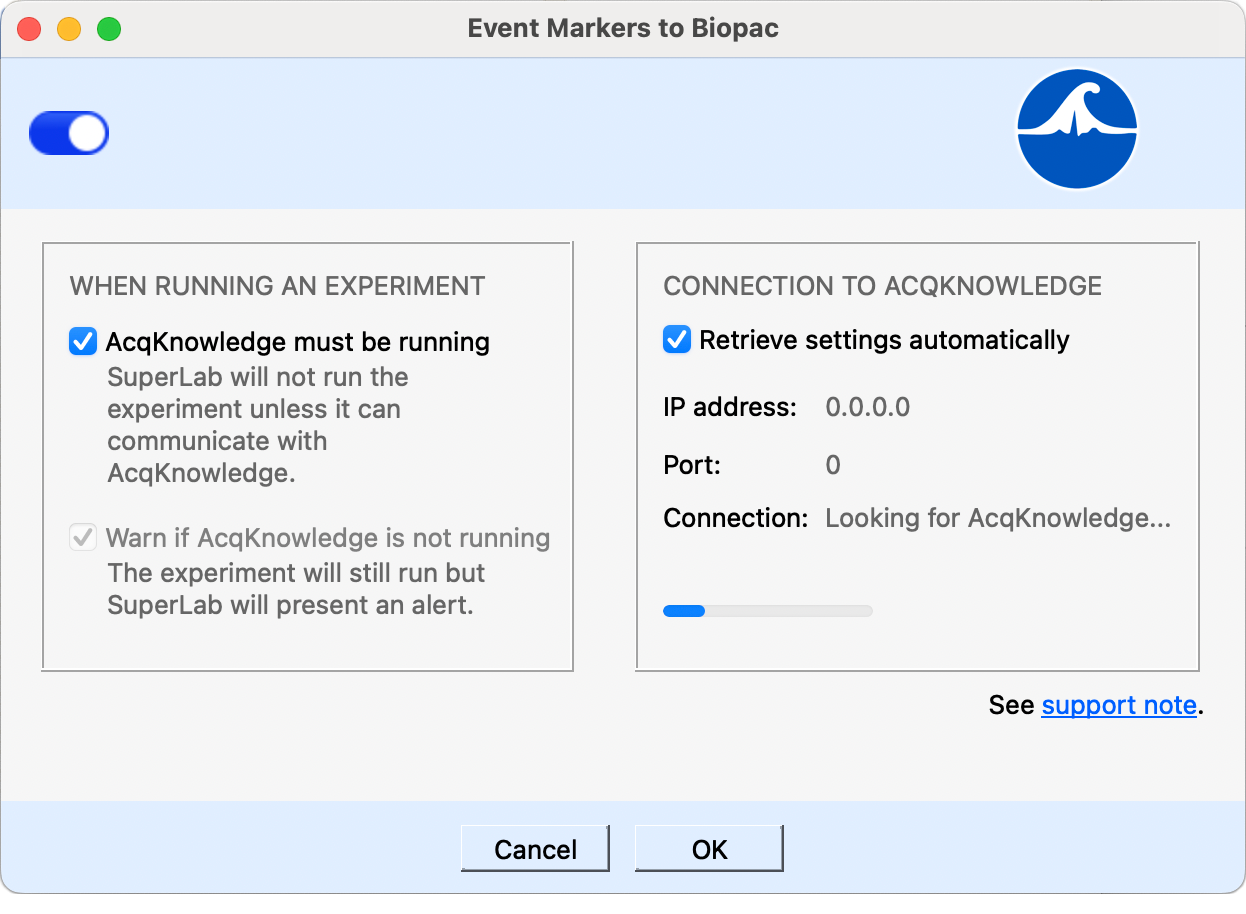
In SuperLab, click on the Experiment menu, select Event Marking, then BIOPAC AcqKnowledge. A dialog appears; turn on the switch in the upper left corner.
SuperLab will usually find AcqKnowledge on the network. If it does not, turn off the option Retrieve settings automatically so you can specify the IP address manually.
We have tested running SuperLab and AcqKnowledge on the same computer without issues. If you want to do that, we recommend a computer with at least 16GB of RAM and three or four CPU cores. CPU speed itself is not as important as having multiple cores.
If you are running SuperLab and AcqKnowledge on separate computers, we recommend the following:
This is important because SuperLab sends event markers over a standard TCP/IP network.
When running an experiment, SuperLab X6 will search for AcqKnowledge on the network. If recording in AcqKnowledge is already in progress, SuperLab X6 simply runs the experiment. If recording is not already in progress, SuperLab X6 will automatically start recording before running the experiment and stop recording at the end of the experiment.
SuperLab X6 sends complete event markers to AcqKnowledge; see screenshot on this blog post.
Noteworthy: specific responses are noted in AcqKnowledge only if they are defined in SuperLab X6. For example, say you are using the keyboard as input and you have defined two keys as responses:
If the participant presses Y or N, you will see in AcqKnowledge which key was pressed. But if the participant presses any other key, you will see in AcqKnowledge that a key was pressed but not which one.
Last Revision: Sept 30, 2024
PRODUCTS
SUPPORT
STAY IN TOUCH


© Copyright 2026 Cedrus Corporation, P.O. Box 6309, San Pedro, CA 90734 - USA
Phone: +1-310-548-9595. Send us an email
qwerasdf
