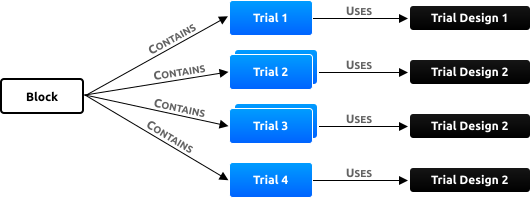
The basic units of a SuperLab experiment are blocks, trials, and trial designs. A trial requires one design. A block can consist of as many trials as you need:
A newly created experiment contains two blocks, two trials, and two designs to get you started. It is ready to go:
When done, SuperLab will return to the main experiment window.
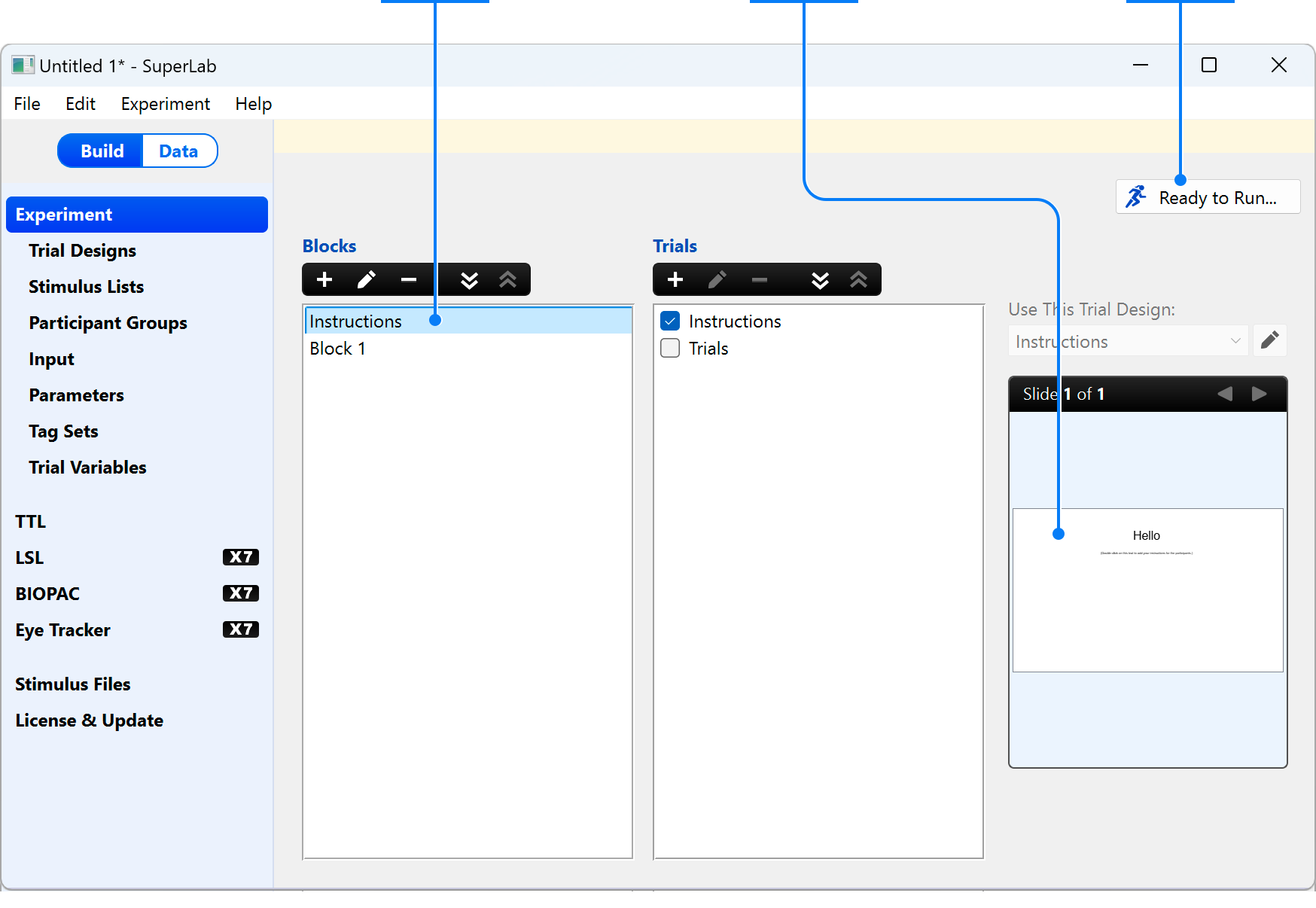
On the left, the main window has a sidebar for editing different aspects of the experiment. This is the view when Experiment is selected in the sidebar:
This view is where you connect blocks, trials, and trial designs together:
Now let’s build an experiment where a trial consists of a cue followed by a word.
In the main window:
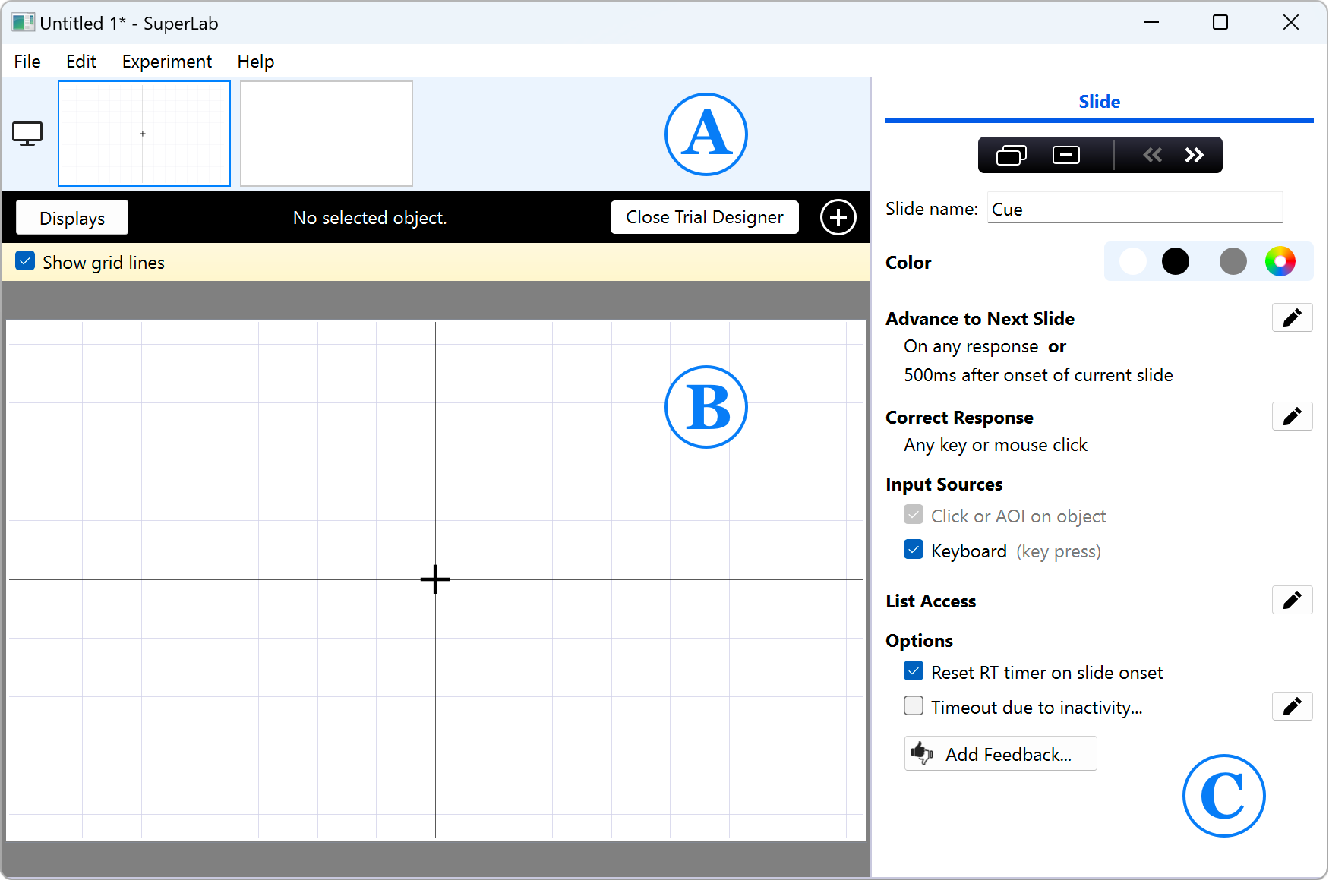
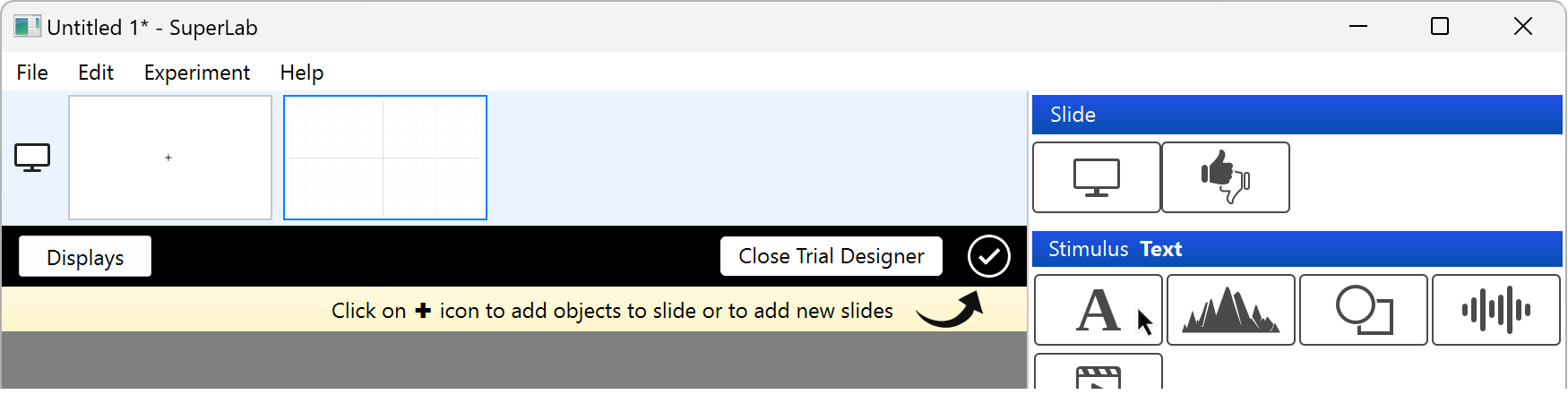
This will open the trial designer. The three main areas are:
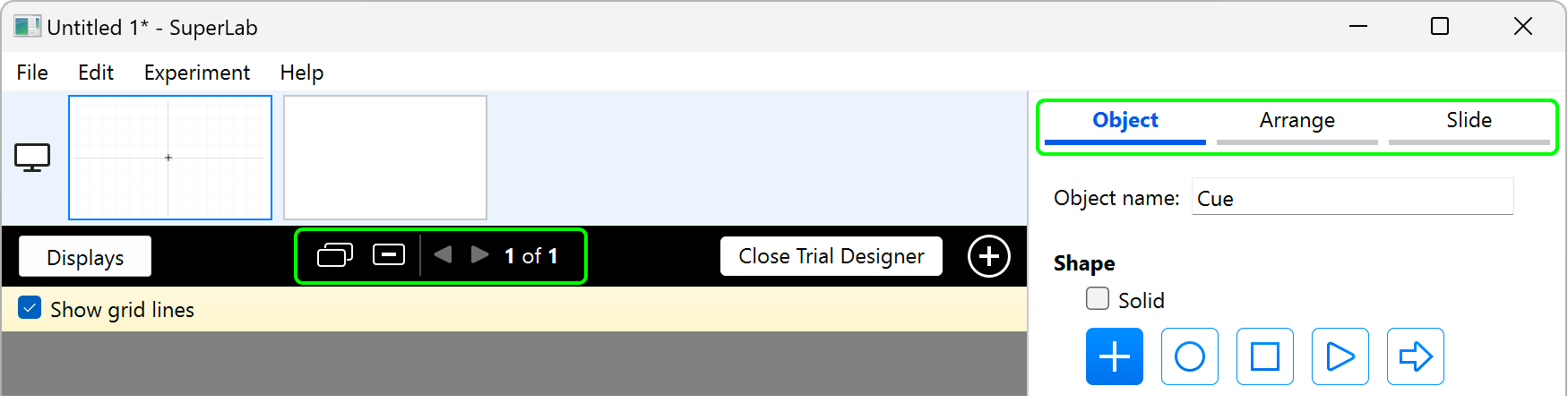
The inspector area’s appearance is versatile and will change depending on the selected object or your actions. To illustrate, click on the cue in the middle of the slide:
You will notice two things:
Now let’s create an experiment.
When you hover with the mouse over the different object types in the toolbox, SuperLab will display the object type’s name. Now click on the Text icon: SuperLab will automatically present you with this dialog:
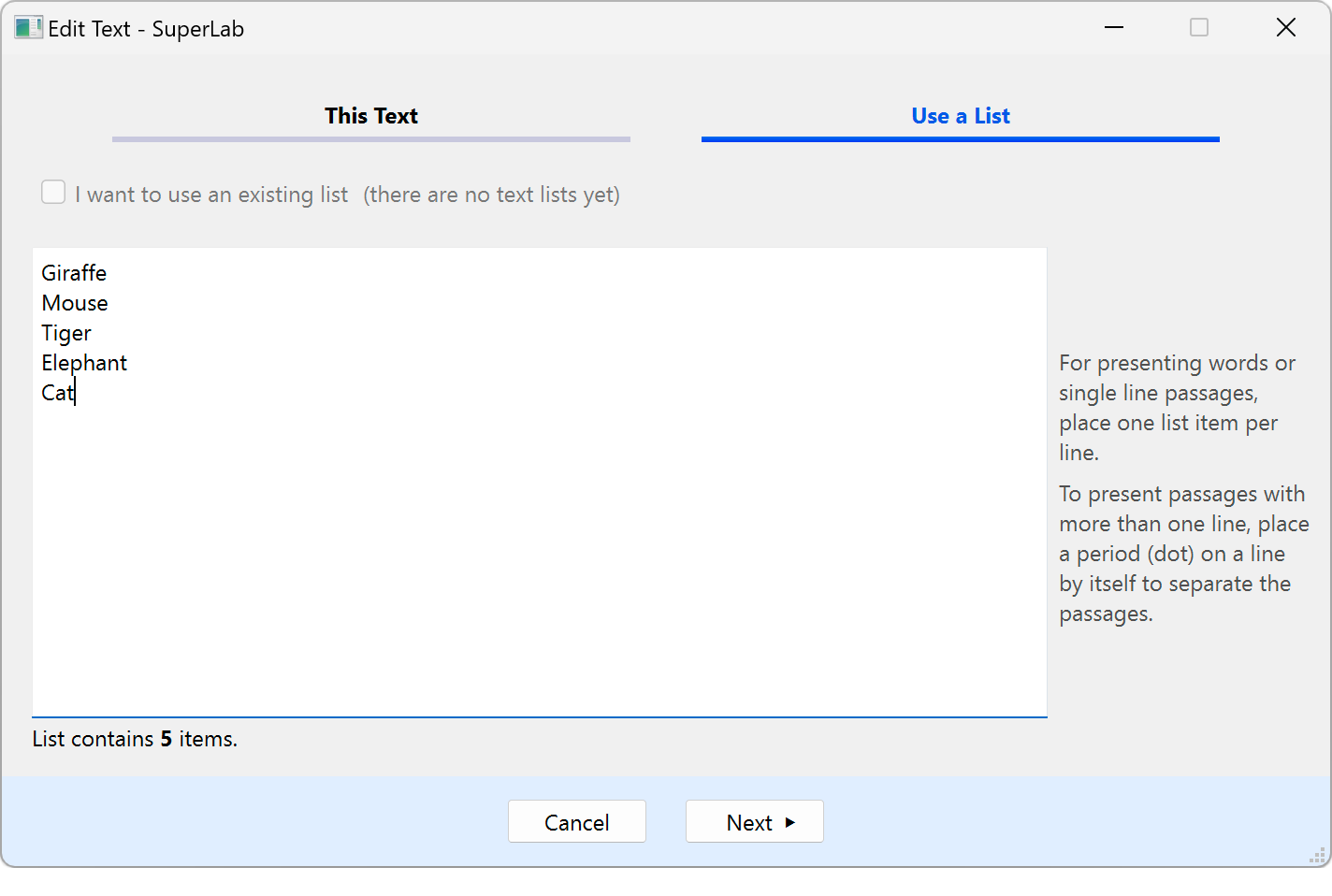
You can enter text such as instructions or you can create a text stimulus list on the fly:
You can now edit properties of the text (font, color, etc.) in the inspector and move the text around using the mouse. For more precise positioning or to randomize the position, click on the Arrange tab.
Let’s run it!
When the experiment runs, you will see a cue that stays on the screen for 500ms followed by a word. This will happen five times because the stimulus list that we created contains five words.
Our fun tour of SuperLab is now complete.
Make sure to spend a few minutes on A Good Tutorial. It builds a realistic experiment, showing things like how to define a correct response, randomizing, pilot mode, and seeing your data.
Select block, then select which trials to include in it
Select block, then select which trials to include in it
Double-click to edit trial design
Double-click to edit trial design
Click to run experiment
Click to run experiment
PRODUCTS
SUPPORT
STAY IN TOUCH


© Copyright 2026 Cedrus Corporation, P.O. Box 6309, San Pedro, CA 90734 - USA
Phone: +1-310-548-9595. Send us an email
qwerasdf



