m-pod for Biopac MP36 (and MP35) connects directly into the I/O Port connector on the back.
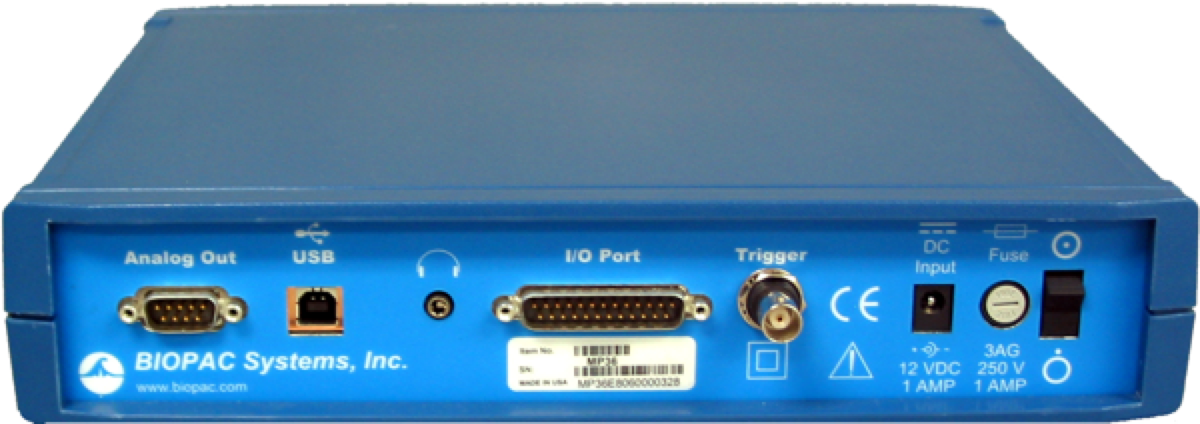
Please note that the STP100C module also has a similar DB25 connector but it is not pin-compatible with the one on the MP35 and MP36. Connecting “m-pod for Biopac MP36” to the STP100C will not work.
Setting up BSL to work with m-pod is straightforward:
1.
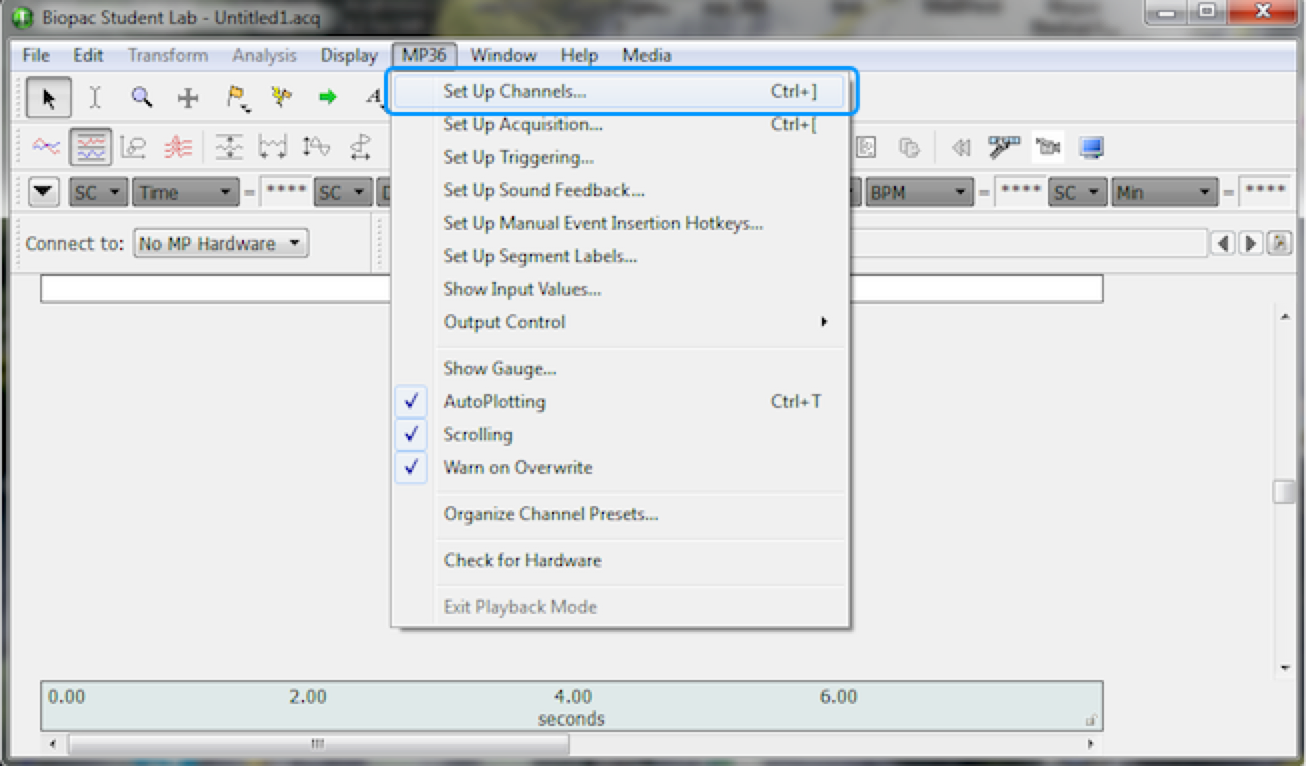
Click on the MP36 (or MP35) menu and choose Set Up Channels….
2.
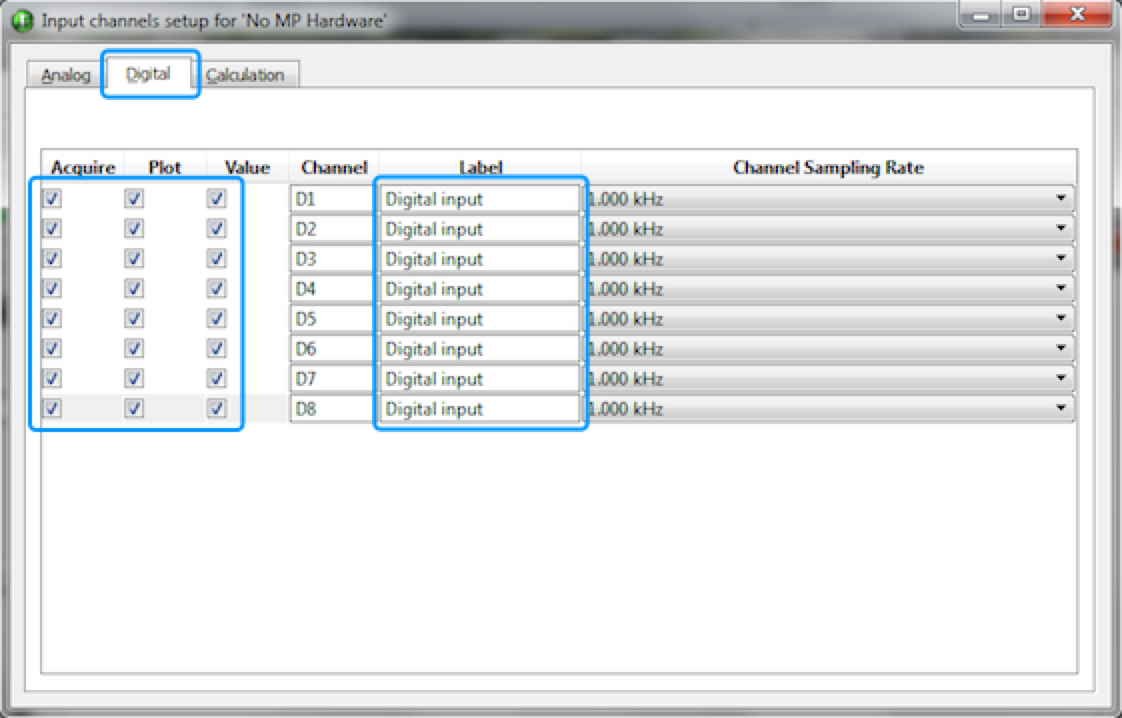
The “Input channels setup” dialog appears. Click on the Digital tab.
3.
Enable all checkboxes for each of the Acquire, Plot, and Value columns.
4.
Optionally, you can also rename the labels.
Close the “Input channels setup” dialog and click on “Start”.
The channel number in the table is as seen in the BSL package. Ground is on DB25 pins 5 and 6:
When Connected to a Riponda or RB-x40 Response Pad
Trigger Value
For
D1
USB bit 0
Key press 1
OR
D2
USB bit 1
Key press 2
OR
D3
USB bit 2
Key press 3
OR
D4
USB bit 3
Key press 4
OR
D5
USB bit 4
Key press 5
OR
D6
USB bit 5
Key press 6
OR
D7
USB bit 6
Key press 7
OR
D8
USB bit 7
Key press 8
Light sensor
OR
OR
Note:
When used with a Lumina 3G controller, the same info applies, with the difference that key presses 5 through 8 correspond to keys 1 through 4 on “Response Pad 2”.
When Connected to StimTracker
Trigger Value
For
Notes
D1
USB bit 0
Light sensor 4
Quad model only
OR
D2
USB bit 1
Light sensor 3
Quad model only
OR
D3
USB bit 2
Light sensor 2
OR
D4
USB bit 3
Voice key / mic
Quad model only
OR
D5
USB bit 4
Any participant key press
OR
D6
USB bit 5
Audio – left
OR
D7
USB bit 6
Audio – right
OR
D8
USB bit 7
Light sensor 1
OR
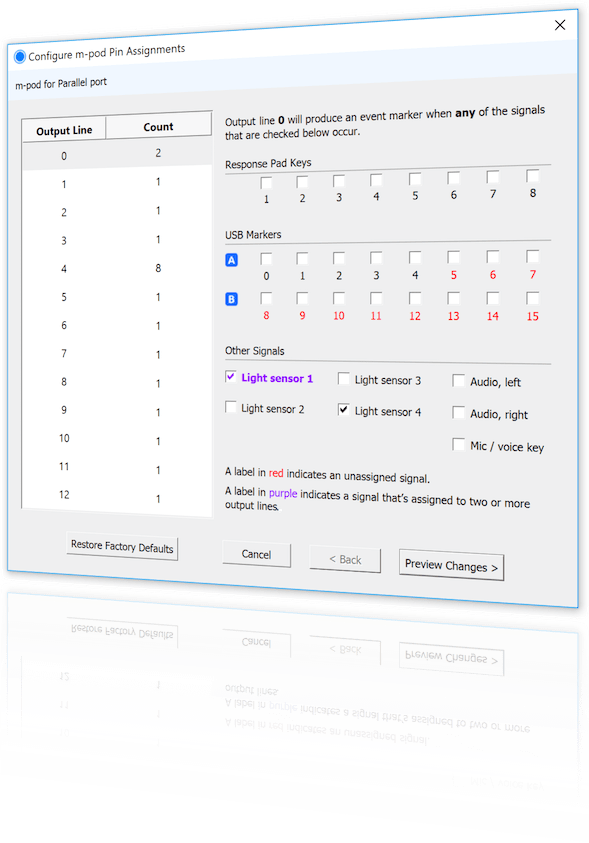
m-pod contains a powerful microprocessor that can reassign any input signal to any output line, and without any significant delay. It can also assign multiple signals to the same output line.
The tables above describe the factory default. If your experiment or lab setup requires different output, Cedrus provides a free utility for configuring your m-pod. After you use it, your configuration is saved to flash memory so that it’s remembered even after you power off m-pod.
Last Revision: June 27, 2018
PRODUCTS
SUPPORT
STAY IN TOUCH


© Copyright 2026 Cedrus Corporation, P.O. Box 6309, San Pedro, CA 90734 - USA
Phone: +1-310-548-9595. Send us an email
qwerasdf
