It is a common requirement to want to mark the onset of visual stimuli. This can be done by sending event markers via USB from the stimulus presentation computer, but you can also have your RB response pad detect and mark the onset of visual stimuli directly. This requires some set up work but offers two advantages: one, it can be more accurate depending on which stimulus presentation software you are using. And two, it is software-independent; this can simplify the development of your experiment.
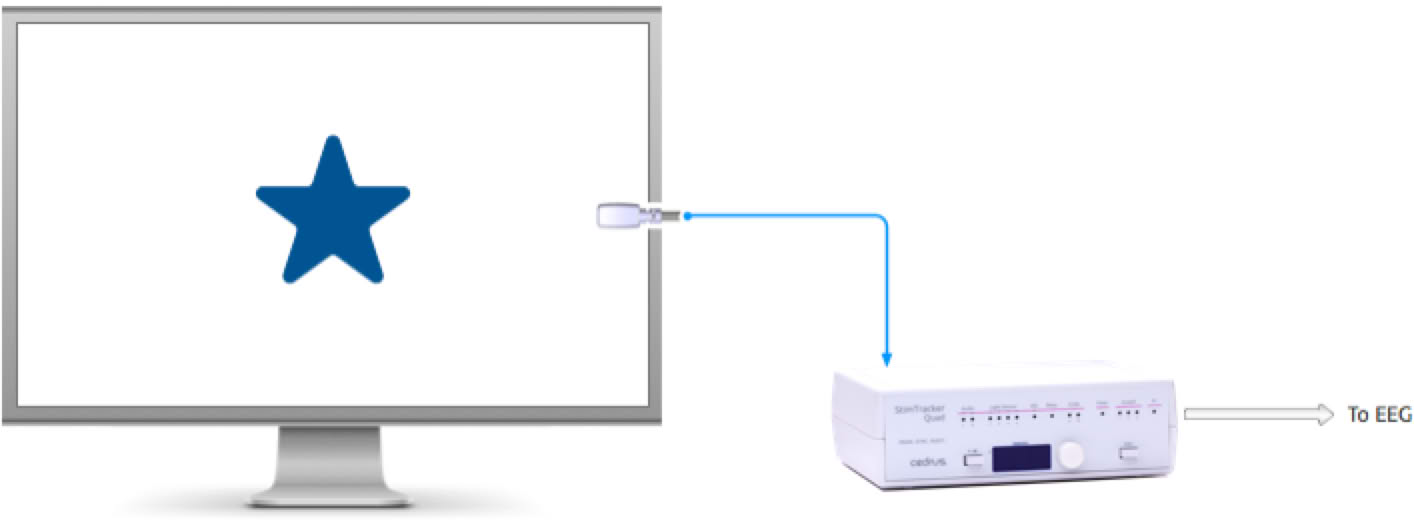
The vast majority of experiments use a white or a black background. To minimize distractions to the participant, light sensors from Cedrus are available in black or in white. They plug into the input the back of the response pad:
Placing the light sensor right over the stimulus can distract participants. When preparing the trial, it is recommended that you also display a square or a circle near the edge of the screen. The circle needs to be only about 10 millimeters in diameter:
Once the trial is setup correctly and you are satisfied with the location of the marker circle on the monitor, peel the self-sticking tape off the light sensor and attach it to the monitor.
You can adjust the sensitivity of the light sensor from within SuperLab 6 or later, or using our free Xidon 2 utility software. Here are a few tips:
The higher the threshold value displayed in SuperLab or Xidon, the more sensitive the light sensor is.
For the response pad to mark the onset of a visual stimulus accurately, the light sensor patch must appear at the same time as the stimulus.
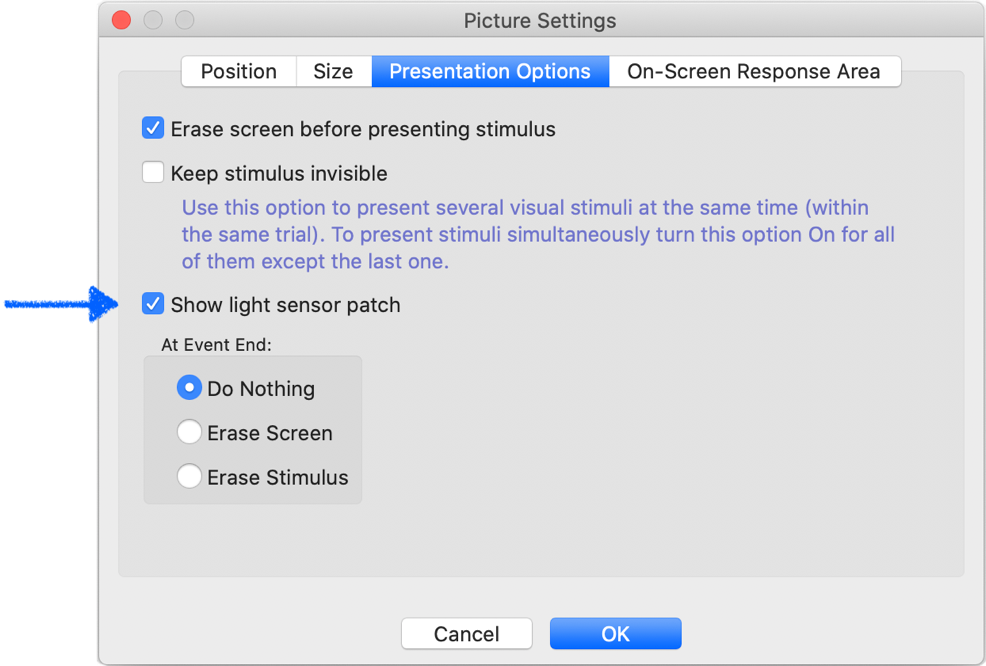
If you are using SuperLab 5 or later, there is a built-in feature to support this. When editing a stimulus in the Event Editor, select the Stimulus tab and click on the Settings… button; a dialog appears:
In this dialog, select the Presentation Options tab and enable the Show light sensor patch checkbox.
You can change the size, position, and color of the light sensor patch by selecting Options from the Experiment menu. In the dialog that appear, select “Sensor Patch Settings”. These settings apply to the entire experiment.
Your response pad is capable of delivering TTL event markers when you add an m-pod. m-pod takes the multiplexed signals that the response pad delivers and converts them into TTL output. You can obtain event markers for:
By default, the output is “reflective”. This means that if the stimulus is on the screen for, say, 400ms, the width of the TTL output pulse will also be 400ms. It is possible to change this behavior so that a shorter pulse is delivered on onset and another one is delivered on offset.
Last Revision: Jan 28, 2021


PRODUCTS
SUPPORT
STAY IN TOUCH


© Copyright 2026 Cedrus Corporation, P.O. Box 6309, San Pedro, CA 90734 - USA
Phone: +1-310-548-9595. Send us an email
qwerasdf
