SuperLab X6 version 6.5.2 adds support for Lab Streaming Layer (LSL).
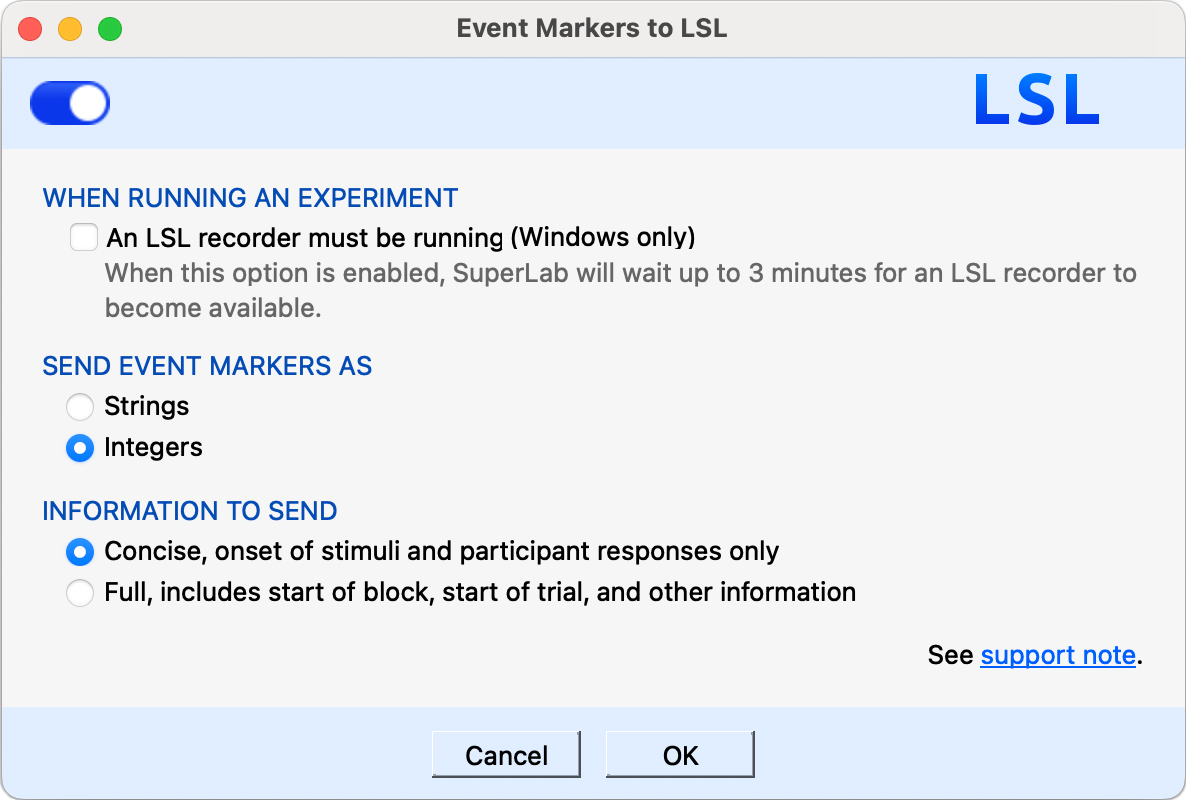
In SuperLab, click on the Experiment menu, select Event Marking, then select Lab Streaming Layer (LSL). A dialog appears; simply turn on the switch in the upper left corner.
More importantly is the network. SuperLab uses the LSL protocol to send event markers over a standard TCP/IP network. We recommend the following:
Event markers sent via LSL are time-synchronized with the receiving device, overcoming the issue with network latencies. Nevertheless, a simpler network is better.
SuperLab can send event markers in one of two ways: text strings or numbers (integers). The correct one to use depends on what the receiving device expects. For example, Neuroelectrics’ NIC software expects numbers.
To illustrate the difference, SuperLab sends the following to mark the onset of a picture:
For strings, the marker includes the event’s name, providing more details.
When set to send concise information, the event markers sent by SuperLab X6 are limited to:
We recommend the concise mode when sending integers. SuperLab X6 sends:
When sending full information, the following additional codes are sent:
Last Revision: Sept 23, 2024
PRODUCTS
SUPPORT
STAY IN TOUCH


© Copyright 2026 Cedrus Corporation, P.O. Box 6309, San Pedro, CA 90734 - USA
Phone: +1-310-548-9595. Send us an email
qwerasdf
