SuperLab X6 was tested with Neuroelectrics’ NIC software. If you have not already, please see Using SuperLab X6 with LSL before proceeding.
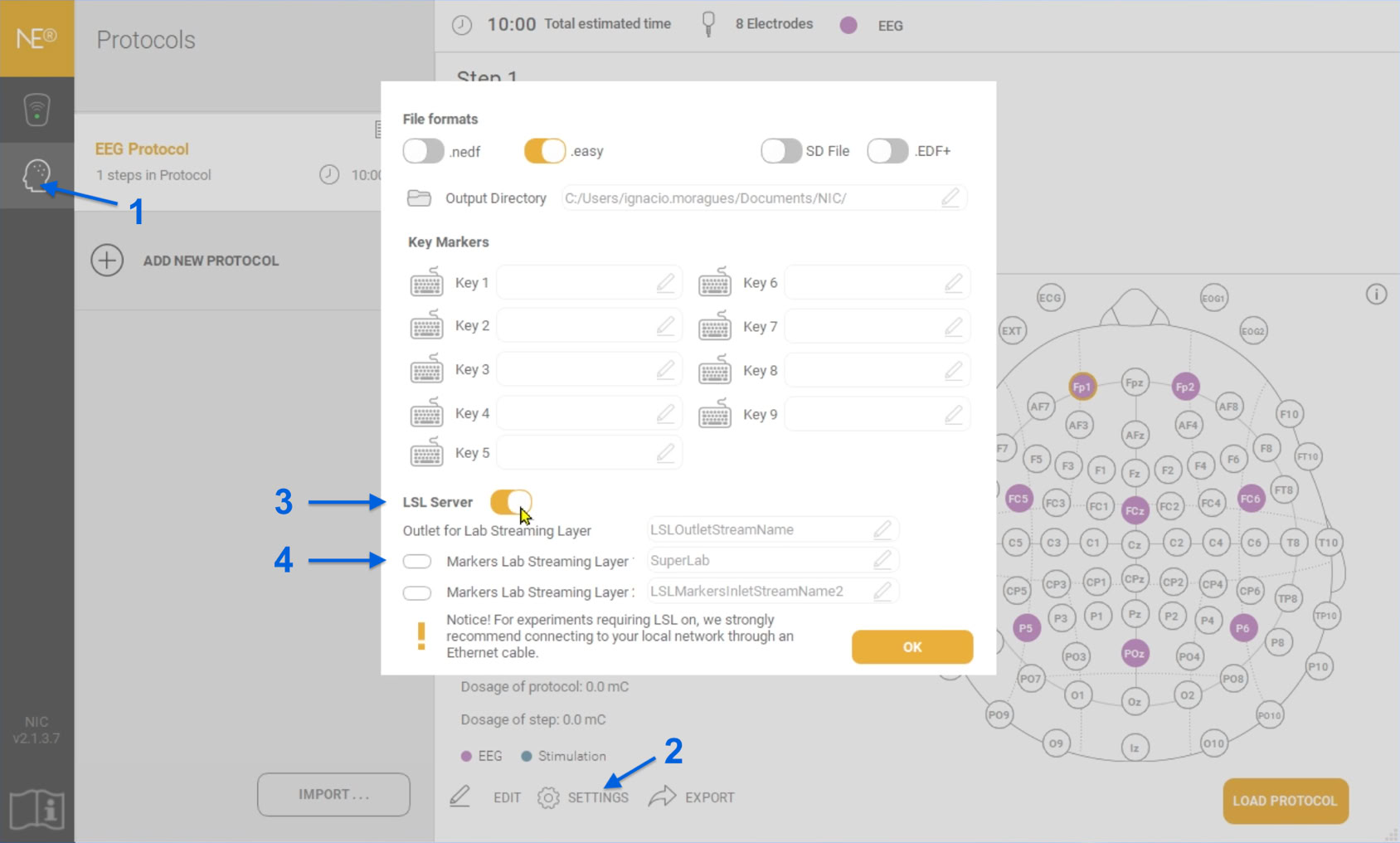
After running the NIC software and selecting your device, setting up LSL is only a couple of taps away:
Click on OK.
That’s it.
Last Revision: Sept 23, 2024
PRODUCTS
SUPPORT
STAY IN TOUCH


© Copyright 2026 Cedrus Corporation, P.O. Box 6309, San Pedro, CA 90734 - USA
Phone: +1-310-548-9595. Send us an email
qwerasdf
