
Support ‣ XID ‣ Commands Reference ‣ Analog Commands
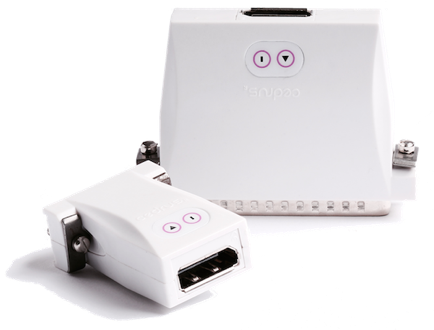
Commands on this page can be used only with the “Analog c-pod” and “Analog m-pod” products. They were introduced in firmware version 2.2.8.
A proper description of the analog output mode can be found on this Analog m-pod support page.
The Analog Commands
vr + start voltage + end voltage • Set Voltage Range

The start voltage is always 0. The end voltage can be between 1 and 10V. The default is 1 volt.

Inquiry Command: send bytes ‘_vr’. The device returns _vr followed by the start and end voltage values.
vm + mode • Set Analog Output Mode
Instructs the analog device on how to produce the voltage levels.
- A value of 1 sets “Fixed Delta” mode, with the delta being the voltage range divided the number of levels (8 or 16). The output is determined by the highest bit set; any lower bits are ignored.
- A value of 2 sets “Binary” mode, resulting in up to 255 different voltage levels.
The default is Fixed Delta. See this Analog m-pod support page for more details.
Inquiry Command: send bytes ‘_vm’. The device returns _vm followed by the mode.
vt + start volt. + end volt. • Set Voltage Range for Testing
This command is identical to the vr command except that the voltage range is not saved to flash memory. It is intended for in-house QC use.
Inquiry Command: send bytes ‘_vt’. The device returns _vt followed by the start and end voltage values.
vl + number of levels • Set Number of Output Levels
Sets the number of different voltage levels that will be generated if analog output mode is Fixed Delta. This can be 8 or 16. The default is 8 levels. This command is ignored if analog output mode is Binary.
See this Analog m-pod support page for more details.
Inquiry Command: send bytes ‘_vl’. The device returns _vl followed by the number of levels.
Last revision: Dec 8, 2022

