Cedrus logo

Support   c-pod    c-pod Options

‍There are a couple of options in c-pod that you can change: the output logic and options that are specific to the “Analog c-pod” model.

‍About Output Logic

‍c-pod can deliver output signals using either positive logic or negative logic. For all models except the Analog c-pod:

  • With positive logic, output is 0 volt by default and rises to +5 volts when sending a pulse or event marker.
  • With negative logic, output is +5 volts by default and drops to 0 volt when sending a pulse.

‍Most EEG systems and data recorders use positive logic. The exceptions we are aware of are:

  • Magstim EGI using Net Station version 5 or later. All “c-pod for EGI” units shipped after April 13, 2022 are preconfigured for negative logic output.
  • TMSi SAGA amplifiers use negative logic but other TMSi models use positive logic. If you are using a SAGA, follow the instructions below to change the output logic.

‍For Analog c-pod, the general idea is the same. With positive logic, output is 0 volt by default and rises till it reaches the maximum voltage. With negative logic, output is the maximum voltage and drops till it reaches 0 volt.

‍Changing the Output Logic

  • Download Xidon 2 and install it. You need the version released on April 13, 2022 or later.
  • Run Xidon.
  • Click on the Search for Device button.
  • When Xidon finds your c-pod, it will display a picture on the left hand side. It will also show the firmware version. This needs to be version 2.2.7 or later.
  • If your firmware is older than version 2.2.7, you need to update the firmware first.
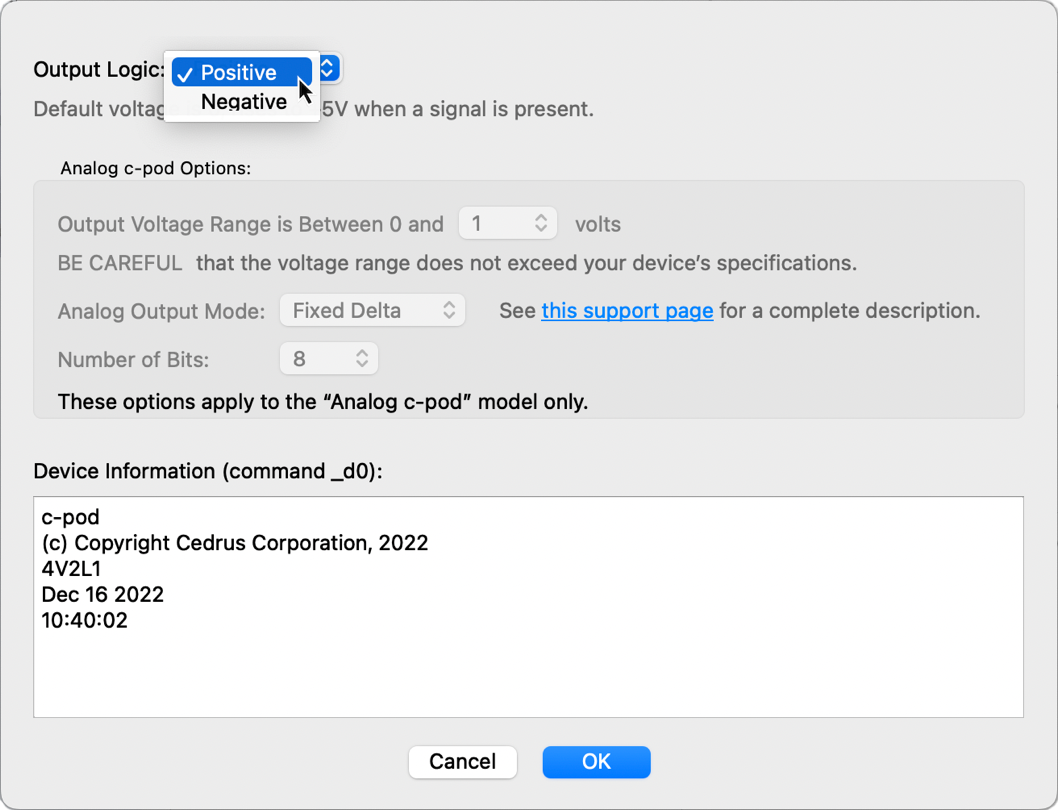
  • In Xidon, click on the Device menu and choose c-pod Options; a dialog appears.
  • Change the output logic and click on OK.

‍You only need to do this once; the setting will be updated and stored in flash memory.

‍Analog c-pod Options

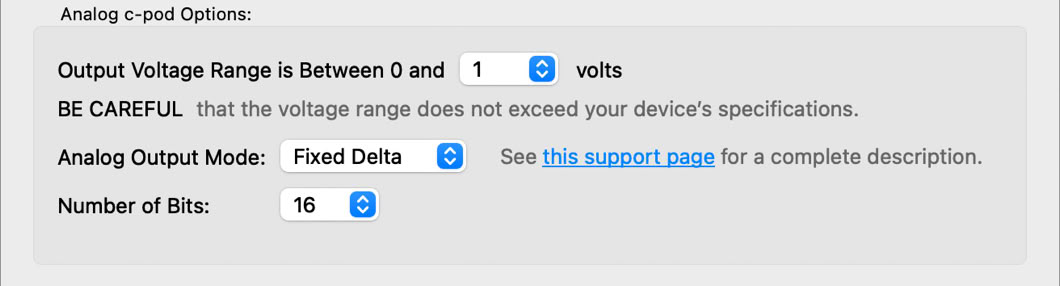
‍Theses options are enabled only when Xidon detects an Analog c-pod. See the Analog c-pod page for an explanation of these options.


Arrow Back Back to c-pod Support main page
Last revision: Dec 23, 2022

Screenshot of dialog in Xidon 2 to set the output logic of c-pod.
Screenshot of analog voltage options for c-pod.

PRODUCTS

SUPPORT

STAY IN TOUCH

© Copyright 2026 Cedrus Corporation, P.O. Box 6309, San Pedro, CA 90734 - USA

Phone: +1-310-548-9595. Send us an email Envelope. See privacy policy.

qwerasdf